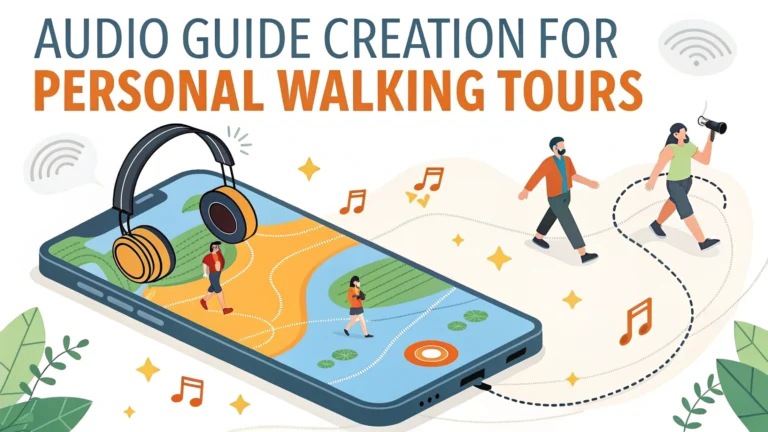
Creating a personal audio guide for walking tours lets you share local knowledge and stories in an engaging way that enhances the visitor experience.
Equipment Needed
- High-quality portable microphone (recommended: Rode SmartLav+ or Shure MV88)
- Smartphone or digital recorder
- Audio editing software (Audacity – free, or Adobe Audition)
- Noise-canceling headphones for monitoring
Planning Your Audio Content
Map out your walking route first, identifying 8-12 key stops that tell a cohesive story.
Research historical facts, interesting stories, and architectural details about each location from reliable sources like local libraries and historical societies.
Write clear, conversational scripts that are 2-3 minutes long per stop.
Time Management: Allow 30-45 seconds of walking time between stops in your audio guide.
Recording Tips
- Record early morning or evening to minimize background noise
- Use a windscreen on your microphone for outdoor recording
- Stand 6-8 inches from the microphone while recording
- Record multiple takes of each segment
Audio Production Steps
- Edit out background noise and mistakes
- Add subtle background music (use royalty-free tracks)
- Include clear directional instructions between stops
- Export files in MP3 format at 128-192 kbps
Distribution Methods
- Upload to platforms like VoiceMap or IZI.travel
- Create a dedicated website or app
- Offer downloadable audio files with accompanying maps
Legal Consideration: Secure necessary permits for commercial tours and check local regulations about audio guide distribution.
Making Your Tour User-Friendly
- Include clear starting point instructions
- Provide a downloadable map marking all stops
- Add emergency contact numbers
- List nearby amenities (restrooms, water fountains, parking)
| Tour Length | Recommended Stops | Total Audio Time |
|---|---|---|
| 1 hour | 6-8 stops | 20-25 minutes |
| 2 hours | 10-12 stops | 35-40 minutes |
Test your audio guide multiple times with different user groups to gather feedback and make improvements.
Recommended Audio Guide Creation Tools
- VoiceMap: https://voicemap.me/tour-creation
- IZI.travel: https://izi.travel/en/create
- PocketGuide: https://pocketguideapp.com/en/create
Quality Assurance
- Test audio clarity with different devices and headphones
- Walk the route while listening to verify timing accuracy
- Have locals review content for accuracy
- Get feedback from non-locals on clarity of directions
Monetization Options
- Set a download price through tour platforms
- Offer premium content or extended versions
- Create themed seasonal tours
- Partner with local businesses for sponsorship
Accessibility Considerations
- Provide alternative routes for wheelchair users
- Include text transcripts of audio content
- Offer multiple language versions
- Consider visually impaired users in directions
Accessibility Tip: Include detailed descriptions of terrain and stairs in your route descriptions.
Marketing Your Audio Guide
- List on tourism websites and local directories
- Create social media presence with tour highlights
- Partner with local hotels and tourist centers
- Develop promotional video content
Maintenance and Updates
- Review content quarterly for accuracy
- Update seasonal information
- Monitor user feedback and ratings
- Keep technology platforms current
Conclusion
Creating an engaging audio walking tour requires careful planning, quality equipment, and attention to detail. Focus on clear narration, accurate directions, and interesting content while considering accessibility and user experience. Regular updates and maintenance ensure long-term success and positive user experiences.
Success Metric: Track user completion rates and feedback to continuously improve your audio guide experience.
FAQs
- What equipment do I need to create an audio guide for a walking tour?
A high-quality portable microphone, recording device or smartphone, audio editing software (like Audacity), and weather protection for your equipment are essential basics. - How long should each audio segment be in a walking tour guide?
Each stop’s audio segment should ideally be 90-180 seconds long, allowing visitors to absorb information without losing interest or falling behind schedule. - What’s the best way to structure the narrative for an audio walking tour?
Start with a clear introduction, use transitional directions between stops, include historical facts and interesting stories, and end with clear guidance to the next location. - How do I determine the best route for a self-guided walking tour?
Choose a logical path that minimizes backtracking, considers pedestrian safety, includes rest stops, and maintains a reasonable walking distance of 1-2 miles total. - What file format should I use for the audio recordings?
MP3 format at 128-192 kbps is the standard, offering good audio quality while maintaining reasonable file sizes for easy downloading and storage. - How do I make my audio guide accessible for people with disabilities?
Provide transcripts, ensure clear audio quality, include alternative routes for those with mobility issues, and offer detailed descriptions of visual elements. - What’s the ideal number of stops for a self-guided walking tour?
A typical walking tour should include 8-12 stops, allowing for a comprehensive experience within 60-90 minutes of total walking time. - How can I distribute my audio guide to users?
Use dedicated tour apps, create a downloadable package on a website, or offer QR codes at each stop linking to audio content. - Should I include background music in my audio guide?
Use background music sparingly and ensure it’s royalty-free; it should enhance the narrative without overshadowing the spoken content or historical authenticity. - How do I handle seasonal or temporary changes along the tour route?
Include alternative routes or stops, update audio content regularly, and provide digital updates through an app or website to inform users of any temporary closures or changes.