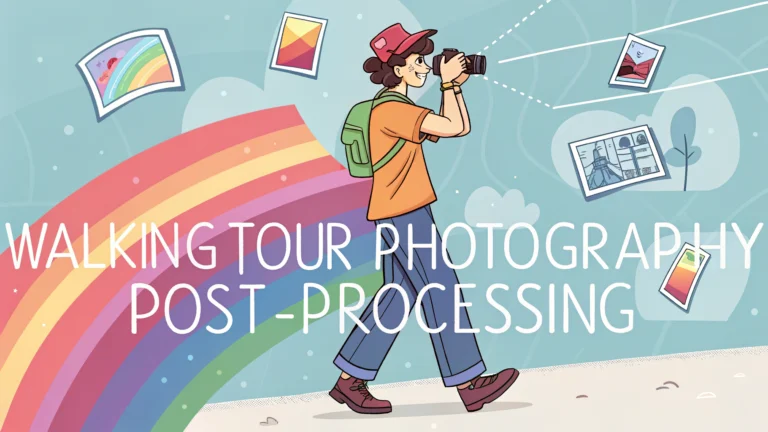
Post-processing photos from walking tours helps preserve memories and create stunning visual stories of your adventures.
Essential Photo Organization
Create a dedicated folder structure organizing photos by date and location before starting the editing process.
- Use descriptive folder names (e.g., “2023-10-Paris-Montmartre”)
- Back up original files before editing
- Flag your favorite shots for priority editing
Basic Editing Steps
Start with these fundamental adjustments for walking tour photos:
- Exposure: Balance shadows and highlights
- White Balance: Correct color temperature
- Contrast: Enhance image depth
- Straighten: Fix tilted horizons
- Crop: Remove distracting elements
Software Recommendations
| Software | Best For | Price Range |
|---|---|---|
| Adobe Lightroom | Professional editing | $9.99/month |
| Capture One | High-end editing | $24/month |
| Snapseed | Mobile editing | Free |
Street Photography Tips
Focus on these elements when editing street scenes:
- Enhance leading lines to draw attention
- Adjust shadows to highlight architecture
- Remove modern distractions (signs, vehicles) if they detract from historical scenes
- Use selective editing to emphasize focal points
Common Challenges and Solutions
- Mixed Lighting: Use gradient filters to balance sky and ground exposure
- Crowded Scenes: Crop strategically or use content-aware removal tools
- Harsh Shadows: Adjust shadow recovery without making images look artificial
- Motion Blur: Apply selective sharpening to salvage slightly blurry images
Batch Processing
Save time by creating presets for similar images from your walking tour:
- Design a preset for indoor museum shots
- Create a preset for outdoor architectural photos
- Set up a preset for street scenes
- Make a preset for food photography
Export Settings
Use these recommended export settings:
- Web sharing: 2048px long edge, 72dpi, sRGB
- Printing: Full resolution, 300dpi, Adobe RGB
- Social media: 1080px square, 72dpi, sRGB
Consider watermarking your images if you plan to share them online.
Backup Strategy
Implement a three-tier backup system:
- Local hard drive storage
- External drive backup
- Cloud storage (Google Photos, Amazon Photos, or Backblaze)
Advanced Editing Techniques
Elevate your walking tour photos with these professional editing methods:
- Color Grading: Create consistent mood across photo series
- Luminosity Masks: Make precise exposure adjustments
- Perspective Correction: Fix building distortion
- HDR Merging: Combine multiple exposures for challenging lighting
Creating Photo Stories
Organize edited photos to tell compelling narratives of your walking tours:
- Group images by themes or locations
- Create sequential storylines
- Mix wide shots with detail photos
- Include environmental context shots
Sharing Your Work
Choose appropriate platforms for your edited walking tour photos:
| Platform | Best For | Image Format |
|---|---|---|
| Social sharing | Square/Portrait | |
| Flickr | Photography community | High resolution |
| Personal Blog | Detailed storytelling | Mixed formats |
Conclusion
Effective post-processing transforms walking tour photos into compelling visual narratives. By following a structured workflow from organization through editing to sharing, photographers can create lasting memories and engaging content. Remember to maintain consistent editing styles, regularly backup work, and choose appropriate sharing platforms for the intended audience.
- Keep original files safe
- Develop a consistent editing style
- Tell stories through thoughtful image selection
- Share appropriately for each platform
FAQs
- What’s the best way to organize photos from a walking tour for post-processing?
Create folders by location/date, use consistent file naming conventions, and backup your RAW files before starting the editing process. - Which camera settings are recommended for walking tour photography?
Use Aperture Priority mode (f/8-f/11 for landscapes), Auto ISO with maximum limit, and continuous shooting mode for street scenes and architecture. - How can I deal with harsh midday lighting during walking tours?
Use HDR techniques, polarizing filters, or bracket your exposures. In post-processing, recover highlights and shadows using your editing software’s tools. - What software is best for processing walking tour photos?
Adobe Lightroom is industry standard for batch processing and organizing, while Capture One and DxO PhotoLab are excellent alternatives with powerful editing tools. - How do I maintain consistent editing style across all walking tour photos?
Create and save preset adjustments for similar lighting conditions, then sync settings across multiple images or use batch processing. - What’s the best way to correct perspective distortion in architecture photos?
Use the transform/perspective correction tools in your editing software to adjust vertical and horizontal lines, or enable in-camera lens corrections if available. - How do I properly geotag my walking tour photos?
Use a camera with built-in GPS, sync with a smartphone tracking app, or manually add location data in post-processing using map-based software tools. - What’s the recommended workflow for backing up photos during walking tours?
Use portable storage devices, cloud backup when Wi-Fi is available, and maintain multiple copies of RAW files on separate devices. - How can I effectively remove unwanted tourists from my walking tour photos?
Take multiple shots of the same scene and use median stacking in Photoshop, or use content-aware fill tools to remove individual people. - What’s the best format to export processed walking tour photos?
Export as high-quality JPEGs for sharing and printing, maintain PSD/TIFF files for editing, and always preserve original RAW files.